

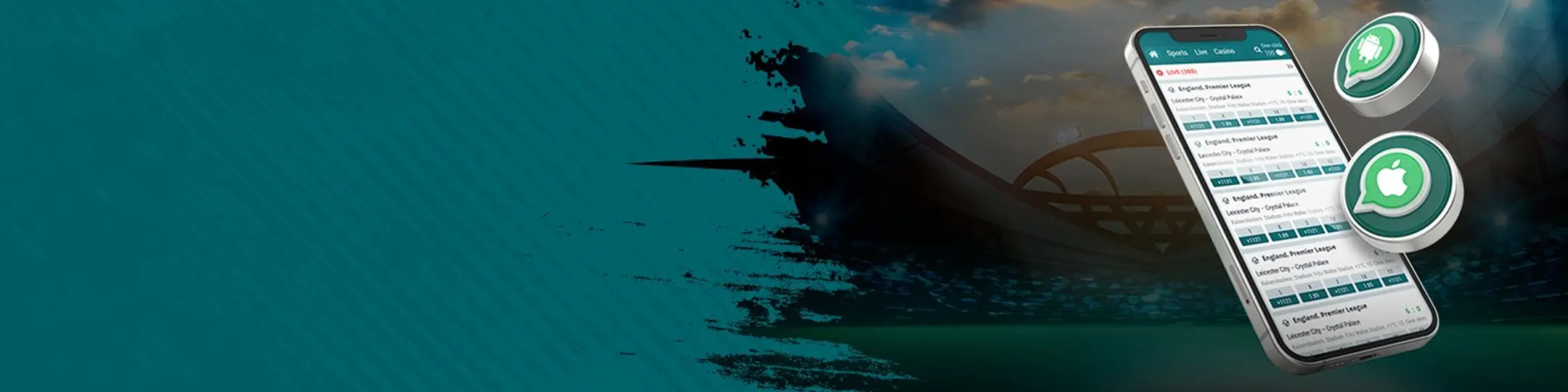
22Bet App: Download Guide
The 22Bet app is a PWA that delivers full sportsbook and casino access from your phone's home screen. Install it through your browser in under a minute with no app store required.
 Download
  Download
 Mobile betting in Zambia has come a long way from texting a bookie your selections and hoping for the best. Today, the expectation is a platform that keeps up with live events in real time, handles ZMW deposits through Airtel Money or MTN Mobile Money without friction, and doesn’t crash when you’re mid-accumulator during a Champions League night.
22Bet’s mobile app was built around exactly that kind of use. It’s not a reduced version of the platform; it’s the full sportsbook and casino experience adapted for how people in Zambia actually bet. Whether you’re on a budget Android device with patchy 4G or a newer smartphone on a solid connection, the app is designed to deliver.
Playing 22Bet on Android Devices
22Bet’s Android app gives you full access to sports betting, live casino, slots, and account management from your phone. It’s fast, reliable, and built to handle everything the desktop site does, including live betting on local and international sports, without needing a computer.
Setting Up on Android
There’s no dedicated native Android app on the Google Play Store right now, and there’s no need to hunt for one, as you can download 22Bet APK file from any of the 22Bet mobile pages. 22Bet also offers a PWA (Progressive Web App) that installs directly in your browser and works just like a native app once it’s on your home screen. Here’s how to install the PWA:
- Open Chrome on your Android device and visit 22bet.com
- Wait for the page to load fully, then open the browser’s menu by tapping the three-dot menu icon in the top-right corner.
- Select ‘Add to Home Screen’ from the dropdown menu.
- Tap ‘Add’ on the confirmation prompt to place the 22Bet icon on your home screen.
The site may also display an automatic install prompt; tap that if it appears. Once installed, the 22Bet PWA launches without browser navigation bars, giving you full access to all features.
Supported Android Devices
The 22Bet APK and the PWA run on any Android device running Android 5.0 (Lollipop) or later, which covers the vast majority of smartphones currently in use across Zambia. Chrome is the recommended browser, though most Chromium-based browsers work fine.
For hardware, a mid-range device with at least 2GB of RAM handles the live casino and in-play sections smoothly. A stable internet connection makes a significant difference. Standard sports betting and slots load without issue on slower connections. Devices from Samsung, Tecno, Infinix, and other major Android manufacturers used widely in Zambia are all compatible.
Playing 22Bet on Apple Devices
iPhone and iPad users in Zambia can access the full 22Bet platform through a PWA installed via Safari. It sits on your home screen like a native app, loads fast, and covers everything from sports betting to live casino with no App Store approval or storage-heavy download required.
Setting Up on iOS
There’s a dedicated native iOS app for 22Bet on the Apple App Store, so remember to search for it there. What’s also available is a PWA that installs through Safari in a few simple steps and delivers a full app-like experience on your iPhone or iPad. Here’s how to download 22Bet app:
- Open Safari on your iPhone or iPad and navigate to your regional 22Bet site.
- Wait for the page to load fully, then tap the Share icon at the bottom of the screen, and the box with an arrow pointing upward.
- Scroll through the share menu and tap ‘Add to Home Screen’.
- Tap ‘Add’ in the top-right corner to confirm and save the icon to your home screen
Once installed, the PWA launches as a standalone app with no browser toolbar, just the 22Bet interface. All desktop features are available, including live betting, deposits, withdrawals, and the full casino library.
Supported iOS Devices
The 22Bet PWA and the native apps work on any iPhone or iPad running iOS 12 or later, covering iPhones from the iPhone 6s onwards and all iPads from 2017 onwards running iPadOS 13+. Safari is the only browser that can be installed as a third-party app on iOS. Other browsers don’t support the ‘Add to Home Screen’ PWA feature due to Apple’s platform restrictions.
For the best experience, iOS 15 or later is recommended, as newer iOS versions handle PWA performance more efficiently. A stable internet connection is recommended for live streaming, with 5 Mbps being the comfortable minimum for uninterrupted video playback.
Sign UpStandout Features of the App
Everything you need, from pre-match betting and live casino games to ZMW deposits and withdrawals, is available directly within the interface. Here are key features available on the 22Bet app:
- Live scores and real-time odds. In-play markets update continuously with no manual refresh needed during fast-moving matches.
- ‘One-Click Bet’ lets you set a default stake and place bets instantly without having to confirm each time, which is important for live betting speed.
- Complete slots library, live dealer tables, crash games, and virtual sports are all available in-app.
- Full deposit and withdrawal functionality, including Airtel Money, MTN Mobile Money, M-Pesa, cards, e-wallets, and crypto.
- Access active promotions, track wagering progress, and manage your welcome bonus directly from the account menu.
- Deposit limits, stake limits, self-exclusion, and section restrictions are all accessible within account settings.
The app also supports two-factor authentication and gives full access to Live Chat support, KYC document submission, and bet history. Because the PWA updates automatically on the server side, you’re always using the latest version without having to update through an app store manually.
Signing Up Through the App
Registering on the 22Bet application is quick and straightforward. The form is touch-optimised, and you can sign up using your email, phone number, or a social network account, whichever is most convenient for you:
- Open the 22Bet app or navigate to the 22Bet site in your mobile browser and tap the green ‘Registration’ button.
- Choose your registration method.
- Fill in your details.
- Enter a promo code if you have one, then tap ‘Register’.
- Verify your email address or phone number as prompted to activate your account.
Once registered, complete your profile and activate your phone number before making your first deposit, as the welcome bonus won’t apply without this step.
Sign UpPlaying Through Your Browser on Mobile
Even without installing the PWA, 22Bet’s mobile website works fully in any browser on your phone. Visit the site, and it adjusts automatically to your screen with no switching required. Key features of the mobile website:
- Adapts to any screen size, from budget smartphones to tablets.
- Pre-match and live betting across all sports with no feature reduction.
- HD-streamed live dealer tables load directly in the mobile browser.
- Deposit in ZMW, withdraw, check bet history, and manage bonuses all without installing anything.
- The site suggests installing the PWA on mobile. Dismiss it and stay in-browser if you prefer.
The mobile website is the most friction-free starting point for you as a new user. Just open a browser and go. Performance is slightly better when you download 22Bet casino application because it caches data locally, but for casual use, the browser version handles everything without issue.
What's in the Mobile Game Library
The complete 22Bet games library is available through both the app and mobile browser, covering every major category Zambian players might want:
All categories perform well on mid-range Android devices common in Zambia. Live casino and crash games benefit most from a stable 4G connection, while slots and sports betting load comfortably even on slower data speeds.
Sign UpWagering Wherever You Are
Think about watching a Zambia Super League match at a local spot, phone in hand, tracking the odds shift as the first goal goes in. That real-time action is exactly what 22Bet’s mobile betting is built for.
The in-play section updates continuously, covering local football alongside international leagues, tennis, basketball, esports, and more, all from the same interface. You can place accumulator bets, switch between pre-match and live markets, and use One-Click Bet to act on odds before they move.
Common Questions
Does the 22Bet app work well on budget Android phones?
What games can I play on the 22Bet casino app?